
Move Inventory
Move entire LPNs from one location to another. This is faster than moving individual bins or products.
The LPN (License Plate Number) module lets you manage LPNs in your warehouse. An LPN is a unique identifier for a pallet, container, or group of products. You can move LPNs between locations and handle replenishment operations associated with LPNs.
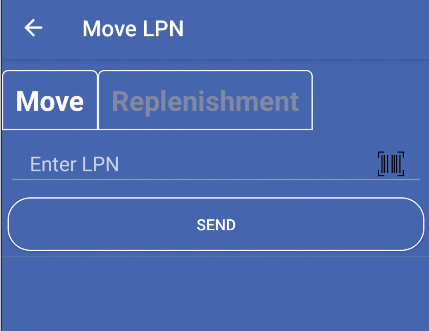
An LPN (License Plate Number) is a unique identifier assigned to a pallet, container, or group of products in your warehouse. LPNs help track inventory as it moves through your warehouse.
Main uses:
Move entire LPNs from one location to another. This is faster than moving individual bins or products.
Know exactly where each LPN is located. The system shows current location and category for each LPN.
Process replenishment requests linked to specific LPNs. See all replenishments for an LPN and complete them together.
Handle LPNs that exist in multiple locations. The system helps you select the correct location when needed.
Open the Main Menu
From the login screen, sign in with your credentials. You’ll see the main menu with all available features.
Select LPN
Tap the LPN icon in the main menu. The app checks your user permissions and opens the LPN Management screen.
Choose an Option
Select Move to relocate an LPN, or Replenishment to process replenishment requests.
The LPN Management screen has two main options:
Main elements:
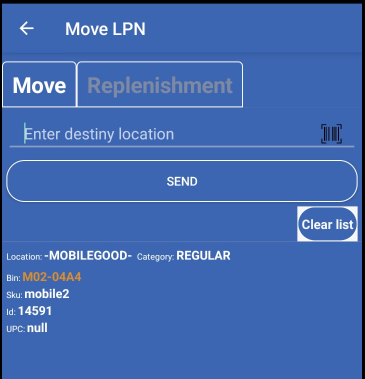
What it does:
Best for: Relocating pallets or containers to new storage locations
Process:

What it does:
Best for: Processing replenishment requests that are grouped by LPN
Process:
When you scan an LPN, the system shows:
For Move operations, you can see:
For Replenishment operations, you can see:
The system checks locations before moving:
Use barcode scanning to enter LPNs quickly. Scanning is faster and more accurate than manual entry.
Always verify the destination location before moving an LPN. Make sure the location can hold the LPN.
If an LPN exists in multiple locations, select the correct one from the list before proceeding.
When processing replenishments, complete all items for an LPN together to keep inventory accurate.